Comments
You can comment on posts of your direct connections and on your own posts, and reply to other comments. You get an email when somebody joins a discussion you are part of.
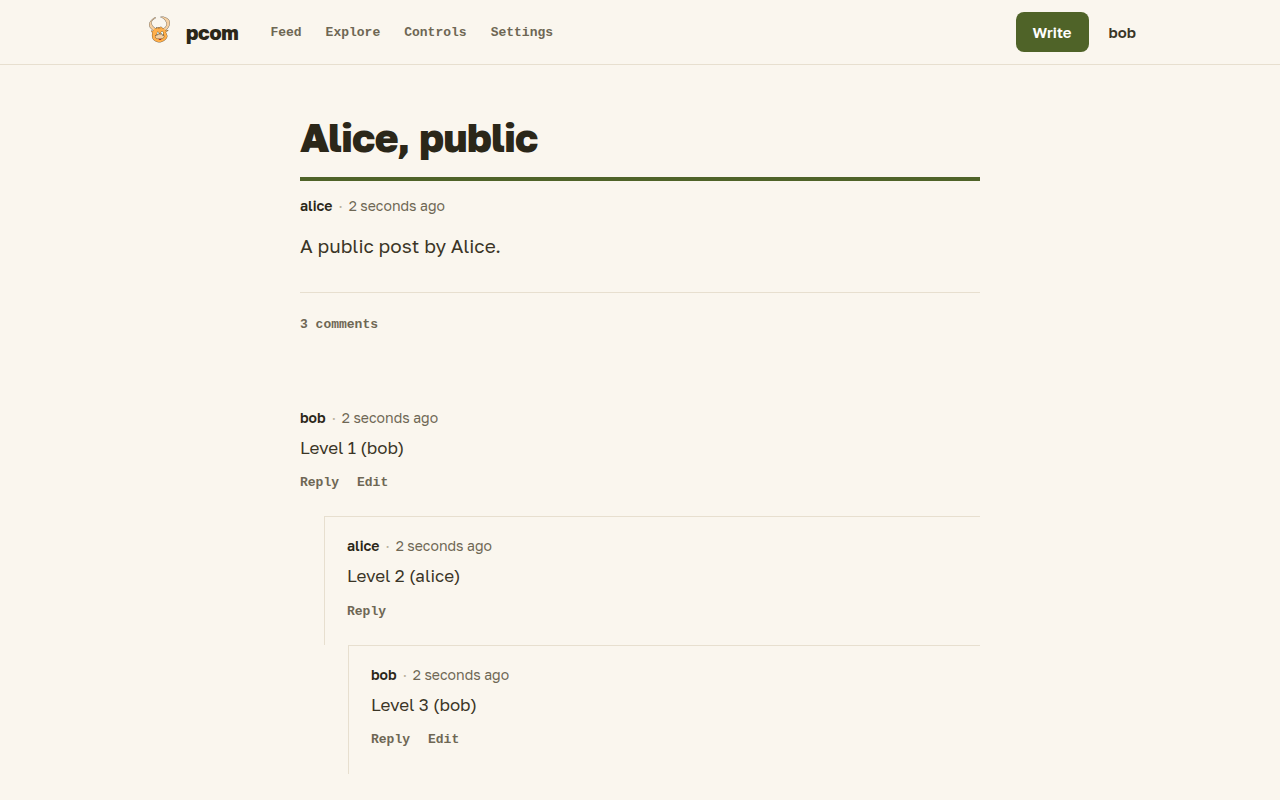
Commenting
On the post itself, click the comment count ("No Comments yet", "One comment" or "N comments") to open the comment form. The Reply action under each comment replies to it, and replies are nested under the comment they answer. Comments are written in markdown, are between 3 and 6,000 characters long and can include images with the upload images button.
Comments are open to you and your direct connections only. If you can see a post as a second-degree connection or as a stranger, you can read it but not its comments, and you can't leave one. Nobody can comment on a draft, its author included, also on a post that was published before and made a draft again.
Editing
You can edit your own comments: press Edit in the action row under your comment on the post page, change the text and save. Only the comment's author can, and only while you are still connected to the post's author. An edited comment shows an "(edited ...)" marker with the time, also in the feed. Saving without changing the text does nothing.
Notifications
Pcom tells you by email when:
- somebody comments on your post, or on a post you commented on;
- somebody edits a comment on your post, or on a post you commented on (an "Edited comment" email to the same people);
- a connection publishes a post;
- a connection answers your prompt with a post you may read;
- somebody prompts you to write.
Comment emails and feed entries stop when you may no longer read the comments: when you lose the connection to the post's author, or the author makes the post a draft again.
Comments on posts you take part in are also listed in your feed. There is no setting to turn emails off or to follow a single thread yet.